Archive and publish your digital photos
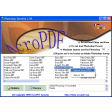
If you're someone who has a large volume of photographs then Photovault can help you organize, publish and manage them with relative ease. Considering it is free, the program is surprisingly powerful, with the capacity to take thousands of photos and package them neatly into virtual folders.
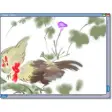
For amateur photographers the program is a dream and includes tools for RAW format conversion, colour correction, cropping, rotating and brightness/contrast balancing.
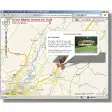
We were also impressed by the way it allows you to sort your images using the metadata stored within the picture files. Not only does this help you organize your collections by date, but you can also sort on a wide range of other variables, such as location, time of day, name or photographer.
Although you won't find many fancy special effects tools within Photovault, the program performs a decent job of whipping your snaps into shape.











.png)














User reviews about Photovault
Have you tried Photovault? Be the first to leave your opinion!